
Pointy Sign: Difference between revisions
From Growtopia Wiki
More actions
Bambam Bot (talk | contribs) m →Recipe: replacing category, old category was deleted by a bureaucrat (automatic) |
NekoPillow (talk | contribs) No edit summary |
||
| Line 1: | Line 1: | ||
{{Item | {{Item|Pointy Sign|1|This sign includes a bit of added information - an arrow! The arrow points whichever direction you are facing when you place the sign.}} | ||
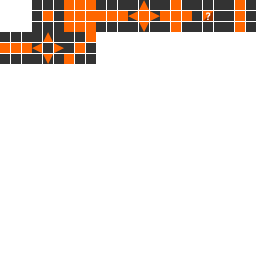
| | A Pointy Sign's functions are like any other sign. Its only difference from other signs is that it points to a single direction, either left or right. The direction it faces depends which way the player is facing when it is placed. For example, if you are facing to the left, the sign will face the left. | ||
| | |||
== Recipe == | == Recipe == | ||
{{RecipeSplice|Door|Sign}} | {{RecipeSplice|Door|Sign}} | ||
[[Category:Items]] | [[Category:Items]] | ||
[[Category:Non-solid Blocks]] | [[Category:Non-solid Blocks]] | ||
[[Category:Signs]] | [[Category:Signs]] | ||
Revision as of 02:13, 12 September 2017
https://growtopiawiki.nbg1.your-objectstorage.com/uploads/8/8f/ItemSprites.png Pointy Sign (Rarity: 4)

This sign includes a bit of added information - an arrow! The arrow points whichever direction you are facing when you place the sign.
PropertiesThis item can be placed in two directions, depending on the direction you're facing.
This item has special properties you can adjust with the Wrench.
DataThis item has special properties you can adjust with the Wrench.
| Type | https://growtopiawiki.nbg1.your-objectstorage.com/uploads/8/8f/ItemSprites.png Sign - Foreground |
|---|---|
| Chi | Unknown |
| Texture Type | https://growtopiawiki.nbg1.your-objectstorage.com/uploads/5/54/TextureTypeSprite.png Single |
| Collision Type | https://growtopiawiki.nbg1.your-objectstorage.com/uploads/e/e2/CollisionTypeSprite.png No Collision |
| Hardness | https://growtopiawiki.nbg1.your-objectstorage.com/uploads/8/8f/ItemSprites.png 4 Hits https://growtopiawiki.nbg1.your-objectstorage.com/uploads/8/8f/ItemSprites.png 3 Hits Restores after 8s of inactivity. |
| Seed Color | https://growtopiawiki.nbg1.your-objectstorage.com/uploads/9/9c/SeedSprites.png #9D8D45 #CCBD74 |
| Grow Time | https://growtopiawiki.nbg1.your-objectstorage.com/uploads/e/e5/TreeSprites.png 3m 4s |
| Default Gems Drop | https://growtopiawiki.nbg1.your-objectstorage.com/uploads/8/8f/ItemSprites.png 0 - 1 |

https://growtopiawiki.nbg1.your-objectstorage.com/uploads/8/8f/ItemSprites.pnghttps://growtopiawiki.nbg1.your-objectstorage.com/uploads/8/8f/ItemSprites.png Red
https://growtopiawiki.nbg1.your-objectstorage.com/uploads/8/8f/ItemSprites.pnghttps://growtopiawiki.nbg1.your-objectstorage.com/uploads/8/8f/ItemSprites.png Yellow
https://growtopiawiki.nbg1.your-objectstorage.com/uploads/8/8f/ItemSprites.pnghttps://growtopiawiki.nbg1.your-objectstorage.com/uploads/8/8f/ItemSprites.png Green
https://growtopiawiki.nbg1.your-objectstorage.com/uploads/8/8f/ItemSprites.pnghttps://growtopiawiki.nbg1.your-objectstorage.com/uploads/8/8f/ItemSprites.png Aqua
https://growtopiawiki.nbg1.your-objectstorage.com/uploads/8/8f/ItemSprites.pnghttps://growtopiawiki.nbg1.your-objectstorage.com/uploads/8/8f/ItemSprites.png Blue

A Pointy Sign's functions are like any other sign. Its only difference from other signs is that it points to a single direction, either left or right. The direction it faces depends which way the player is facing when it is placed. For example, if you are facing to the left, the sign will face the left.
Recipe
| https://growtopiawiki.nbg1.your-objectstorage.com/uploads/e/e5/TreeSprites.png Splicing |
|---|
| The tree of this item can be made by mixing the following seeds: |
| https://growtopiawiki.nbg1.your-objectstorage.com/uploads/9/9c/SeedSprites.png Door Seed https://growtopiawiki.nbg1.your-objectstorage.com/uploads/9/9c/SeedSprites.png Sign Seed |