
Door: Difference between revisions
More actions
Fixed a great deal of grammar errors. |
|||
| Line 14: | Line 14: | ||
|overlayColor=#ffd11d | |overlayColor=#ffd11d | ||
}} | }} | ||
A "portal" tile. | A "portal" tile. The splicing recipe is [[dirt]] seed spliced with a [[Cave Background]] seed. Doors are not considered to be farmable. | ||
To teleport Door to Door (below) | To teleport Door to Door (below) | ||
| Line 39: | Line 39: | ||
Trying to edit the door using the wrench and letting someone break it ,after broken, it will say "I was looking at the door and now its gone! Magic is real! | |||
Also, the words SYSTEM, HAMUMU, SETH, SATAN, HEROMAN, THEGODS,RTSOFT,GODS, and GOD in the target world will make the door say 'The door cannot open to such an awesome place!' (If you find anymore | Also, the words SYSTEM, HAMUMU, SETH, SATAN, HEROMAN, THEGODS, RTSOFT, GODS, and GOD in the target world will make the door say 'The door cannot open to such an awesome place!' (If you find anymore, please, place them here as well) | ||
Also try editing the door and write EXIT on the Target World part. (ex: Target World: EXIT) Then the door will lead the player who enters straight out of the world | Also try editing the door and write EXIT on the Target World part. (ex: Target World: EXIT) Then the door will lead the player who enters straight out of the world, just like the [[white door]]. | ||
[[Category:Items]] | [[Category:Items]] | ||
[[Category:Non-solid tiles]] | [[Category:Non-solid tiles]] | ||
Revision as of 13:15, 20 March 2015

| Type | https://growtopiawiki.nbg1.your-objectstorage.com/uploads/8/8f/ItemSprites.png Door - Foreground |
|---|---|
| Chi | Unknown |
| Texture Type | https://growtopiawiki.nbg1.your-objectstorage.com/uploads/5/54/TextureTypeSprite.png Single |
| Collision Type | https://growtopiawiki.nbg1.your-objectstorage.com/uploads/e/e2/CollisionTypeSprite.png No Collision |
| Hardness | https://growtopiawiki.nbg1.your-objectstorage.com/uploads/8/8f/ItemSprites.png 5 Hits https://growtopiawiki.nbg1.your-objectstorage.com/uploads/8/8f/ItemSprites.png 4 Hits Restores after 8s of inactivity. |
| Seed Color | https://growtopiawiki.nbg1.your-objectstorage.com/uploads/9/9c/SeedSprites.png #9A6B38 #FFD11D |
| Grow Time | https://growtopiawiki.nbg1.your-objectstorage.com/uploads/e/e5/TreeSprites.png 1m 8s |
| Default Gems Drop | https://growtopiawiki.nbg1.your-objectstorage.com/uploads/8/8f/ItemSprites.png 0 - 1 |
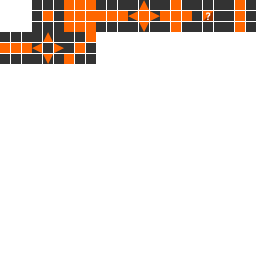


A "portal" tile. The splicing recipe is dirt seed spliced with a Cave Background seed. Doors are not considered to be farmable.
To teleport Door to Door (below)
Door A Door B
Target World:door Target World:door2
Door ID (optional):door2 Door ID(optional):door


To teleport to another door in another world:<WORLD NAME>
In-Game Description:
These magical doors connect all the worlds in Growtopia. Place one and use your Wrench on it to set the destination. Rarity:2
To grow,Plant a Door Seed. (Or Splice a Dirt Seed with a Cave Background Seed)
This Item has Special Properties you can adjust with the Wrench.
Trying to edit the door using the wrench and letting someone break it ,after broken, it will say "I was looking at the door and now its gone! Magic is real!
Also, the words SYSTEM, HAMUMU, SETH, SATAN, HEROMAN, THEGODS, RTSOFT, GODS, and GOD in the target world will make the door say 'The door cannot open to such an awesome place!' (If you find anymore, please, place them here as well)
Also try editing the door and write EXIT on the Target World part. (ex: Target World: EXIT) Then the door will lead the player who enters straight out of the world, just like the white door.