
Ad Block 2x3: Difference between revisions
From Growtopia Wiki
More actions
No edit summary |
|||
| (2 intermediate revisions by one other user not shown) | |||
| Line 1: | Line 1: | ||
{{Item|Place these blocks in a | {{Item|Place these blocks in a 2x3 grid to show ads in your world. Check your ad earnings for your world with the Ad Control Block.|Earth}} | ||
{{RecipeStore|Advertisers Pack|10,000|G|With this pack you can build custom Ad billboards in your world. There are 3 sizes you can choose from, | {{RecipeStore|Advertisers Pack|10,000|G|With this pack you can build custom Ad billboards in your world. There are 3 sizes you can choose from, 2x3, 3x2 and 6x1. You need to arrange these in a grid to activate the Ad. Remember to check your Gem earnings each day using the Ad Control Block.|24}} | ||
The '''Ad Block | The '''Ad Block 2x3''' is an unsplicable solid foreground block that was added as part of the [[Growtopia ADventures]] update on June 22, 2021. | ||
==Function== | ==Function== | ||
In order to fully utilize the Ad Block's function, it needs to be placed together with other Ad Blocks of the same type in a | In order to fully utilize the Ad Block's function, it needs to be placed together with other Ad Blocks of the same type in a 2×3 grid. The area will then be covered with a 4×3 advertisement. | ||
== Trivia == | |||
* As of September 21, 2023, the requirement of 4x3 ad blocks was changed to 2x3 to show an AD. This caused the name change. | |||
==Gallery== | ==Gallery== | ||
{{Gallery|Advertisements}} | {{Gallery|Advertisements}} | ||
Latest revision as of 08:43, 25 February 2024

Place these blocks in a 2x3 grid to show ads in your world. Check your ad earnings for your world with the Ad Control Block.
PropertiesThis item never drops any seeds.
This item can only be used in World-Locked worlds.
DataThis item can only be used in World-Locked worlds.
| Type | https://growtopiawiki.nbg1.your-objectstorage.com/uploads/8/8f/ItemSprites.png Foreground Block - Foreground |
|---|---|
| Chi | https://growtopiawiki.nbg1.your-objectstorage.com/uploads/8/8f/ItemSprites.png Earth |
| Texture Type | https://growtopiawiki.nbg1.your-objectstorage.com/uploads/5/54/TextureTypeSprite.png Single |
| Collision Type | https://growtopiawiki.nbg1.your-objectstorage.com/uploads/e/e2/CollisionTypeSprite.png Full Collision |
| Hardness | https://growtopiawiki.nbg1.your-objectstorage.com/uploads/8/8f/ItemSprites.png 3 Hits https://growtopiawiki.nbg1.your-objectstorage.com/uploads/8/8f/ItemSprites.png 3 Hits Restores after 8s of inactivity. |
| Seed Color | https://growtopiawiki.nbg1.your-objectstorage.com/uploads/9/9c/SeedSprites.png #5D5D5D #3A843E |
| Grow Time | https://growtopiawiki.nbg1.your-objectstorage.com/uploads/e/e5/TreeSprites.png 1h 0m 0s |
| Default Gems Drop | https://growtopiawiki.nbg1.your-objectstorage.com/uploads/8/8f/ItemSprites.png N/A |
https://growtopiawiki.nbg1.your-objectstorage.com/uploads/8/8f/ItemSprites.pnghttps://growtopiawiki.nbg1.your-objectstorage.com/uploads/8/8f/ItemSprites.png Red
https://growtopiawiki.nbg1.your-objectstorage.com/uploads/8/8f/ItemSprites.pnghttps://growtopiawiki.nbg1.your-objectstorage.com/uploads/8/8f/ItemSprites.png Yellow
https://growtopiawiki.nbg1.your-objectstorage.com/uploads/8/8f/ItemSprites.pnghttps://growtopiawiki.nbg1.your-objectstorage.com/uploads/8/8f/ItemSprites.png Green
https://growtopiawiki.nbg1.your-objectstorage.com/uploads/8/8f/ItemSprites.pnghttps://growtopiawiki.nbg1.your-objectstorage.com/uploads/8/8f/ItemSprites.png Aqua
https://growtopiawiki.nbg1.your-objectstorage.com/uploads/8/8f/ItemSprites.pnghttps://growtopiawiki.nbg1.your-objectstorage.com/uploads/8/8f/ItemSprites.png Blue

| https://growtopiawiki.nbg1.your-objectstorage.com/uploads/8/8f/ItemSprites.png Growtopia Store |
|---|
| Purchase the Advertisers Pack for 10,000 https://growtopiawiki.nbg1.your-objectstorage.com/uploads/8/8f/ItemSprites.png in the Growtopia Store. |
"With this pack you can build custom Ad billboards in your world. There are 3 sizes you can choose from, 2x3, 3x2 and 6x1. You need to arrange these in a grid to activate the Ad. Remember to check your Gem earnings each day using the Ad Control Block."
|
| Every purchase will give 24 items. |
The Ad Block 2x3 is an unsplicable solid foreground block that was added as part of the Growtopia ADventures update on June 22, 2021.
Function
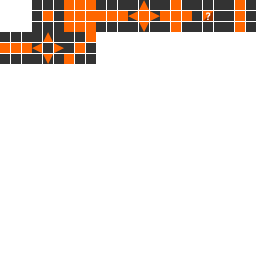
In order to fully utilize the Ad Block's function, it needs to be placed together with other Ad Blocks of the same type in a 2×3 grid. The area will then be covered with a 4×3 advertisement.
Trivia
- As of September 21, 2023, the requirement of 4x3 ad blocks was changed to 2x3 to show an AD. This caused the name change.
Gallery
- Images featuring Ad Block 2x3 are stored in this page.