Sheet Music: Piano Note: Difference between revisions
From Growtopia Wiki
More actions
Bambam Bot (talk | contribs) m →In Game Description: replacing category; Background tiles to Background Tiles (Automatic) |
mNo edit summary |
||
| (17 intermediate revisions by 10 users not shown) | |||
| Line 1: | Line 1: | ||
{{Item | {{Item|If you aren't in range of a Boombox, this will play a piano note for you. Put it in different places for different pitches.|Wind}} | ||
{{RecipeStore|[[Composer's Pack]]|5,000|G| With these handy blocks,you'll be able to compose your own music,using your World-Locked World as a Sheet of Music.Requires a World Lock (sold separately!).Comes with 100 Sheet Music Wallpapers of Various Kinds.|20}} | |||
{{RecipeSplice|Sheet Music: Blank|Green Block}} | |||
{{RecipeProvider|BBM|5}} | |||
The '''Sheet Music: Piano Note''' is a splicable and farmable background block which was added alongside the [[Composer's Pack]] on March 1, 2013. | |||
==Function== | |||
Sheet Music: Piano Note is a [[Sheet Music (block category)|sheet music]] that plays a piano note, depending on its position vertically. | |||
== | ===Possibilities=== | ||
{{TableHeader}} | |||
|- | |||
|{{ItemLink|Sheet Music: Flat Piano}} | |||
|{{TableRecipeSplice|Sheet Music: Piano Note|Rock|8}} | |||
|- | |||
|{{ItemLink|Sheet Music: Sharp Piano}} | |||
|{{TableRecipeSplice|Sheet Music: Piano Note|Death Spikes|8}} | |||
|- | |||
|{{ItemLink|Sheet Music: Spooky}} | |||
|{{TableRecipeGrowganoth|Sheet Music: Spooky}} | |||
{{TableFooter}} | |||
==Gallery== | |||
<gallery> | |||
[[Category: | Sheet Music Piano Note Sprites.png|The textures of Sheet Music: Piano Note | ||
[[Category: | </gallery> | ||
[[Category: | |||
[[Category:Composer's Pack]] | |||
[[Category:Farmables]] | |||
[[Category:Splicable]] | |||
Latest revision as of 11:56, 4 December 2021
https://growtopiawiki.nbg1.your-objectstorage.com/uploads/8/8f/ItemSprites.png Sheet Music: Piano Note (Rarity: 14)
If you aren't in range of a Boombox, this will play a piano note for you. Put it in different places for different pitches.
PropertiesThis item can only be used in World-Locked worlds.
Data| Type | https://growtopiawiki.nbg1.your-objectstorage.com/uploads/8/8f/ItemSprites.png Sheet Music - Background |
|---|---|
| Chi | https://growtopiawiki.nbg1.your-objectstorage.com/uploads/8/8f/ItemSprites.png Wind |
| Texture Type | https://growtopiawiki.nbg1.your-objectstorage.com/uploads/5/54/TextureTypeSprite.png Single |
| Collision Type | https://growtopiawiki.nbg1.your-objectstorage.com/uploads/e/e2/CollisionTypeSprite.png No Collision |
| Hardness | https://growtopiawiki.nbg1.your-objectstorage.com/uploads/8/8f/ItemSprites.png 3 Hits https://growtopiawiki.nbg1.your-objectstorage.com/uploads/8/8f/ItemSprites.png 3 Hits Restores after 5s of inactivity. |
| Seed Color | https://growtopiawiki.nbg1.your-objectstorage.com/uploads/9/9c/SeedSprites.png #FFFFFF #000000 |
| Grow Time | https://growtopiawiki.nbg1.your-objectstorage.com/uploads/e/e5/TreeSprites.png 52m 44s |
| Default Gems Drop | https://growtopiawiki.nbg1.your-objectstorage.com/uploads/8/8f/ItemSprites.png 0 - 3 |
https://growtopiawiki.nbg1.your-objectstorage.com/uploads/8/8f/ItemSprites.pnghttps://growtopiawiki.nbg1.your-objectstorage.com/uploads/8/8f/ItemSprites.png Red
https://growtopiawiki.nbg1.your-objectstorage.com/uploads/8/8f/ItemSprites.pnghttps://growtopiawiki.nbg1.your-objectstorage.com/uploads/8/8f/ItemSprites.png Yellow
https://growtopiawiki.nbg1.your-objectstorage.com/uploads/8/8f/ItemSprites.pnghttps://growtopiawiki.nbg1.your-objectstorage.com/uploads/8/8f/ItemSprites.png Green
https://growtopiawiki.nbg1.your-objectstorage.com/uploads/8/8f/ItemSprites.pnghttps://growtopiawiki.nbg1.your-objectstorage.com/uploads/8/8f/ItemSprites.png Aqua
https://growtopiawiki.nbg1.your-objectstorage.com/uploads/8/8f/ItemSprites.pnghttps://growtopiawiki.nbg1.your-objectstorage.com/uploads/8/8f/ItemSprites.png Blue

| https://growtopiawiki.nbg1.your-objectstorage.com/uploads/8/8f/ItemSprites.png Growtopia Store |
|---|
| Purchase the Composer's Pack for 5,000 https://growtopiawiki.nbg1.your-objectstorage.com/uploads/8/8f/ItemSprites.png in the Growtopia Store. |
" With these handy blocks,you'll be able to compose your own music,using your World-Locked World as a Sheet of Music.Requires a World Lock (sold separately!).Comes with 100 Sheet Music Wallpapers of Various Kinds."
|
| Every purchase will give 20 items. |
| https://growtopiawiki.nbg1.your-objectstorage.com/uploads/e/e5/TreeSprites.png Splicing |
|---|
| The tree of this item can be made by mixing the following seeds: |
| https://growtopiawiki.nbg1.your-objectstorage.com/uploads/9/9c/SeedSprites.png Sheet Music: Blank Seed https://growtopiawiki.nbg1.your-objectstorage.com/uploads/9/9c/SeedSprites.png Green Block Seed |
| https://growtopiawiki.nbg1.your-objectstorage.com/uploads/8/8f/ItemSprites.png Provider |
|---|
| Drops in sets of 5 from harvesting a/an: https://growtopiawiki.nbg1.your-objectstorage.com/uploads/8/8f/ItemSprites.png Building Blocks Machine (random chance) |
The Sheet Music: Piano Note is a splicable and farmable background block which was added alongside the Composer's Pack on March 1, 2013.
Function
Sheet Music: Piano Note is a sheet music that plays a piano note, depending on its position vertically.
Possibilities
Gallery
-
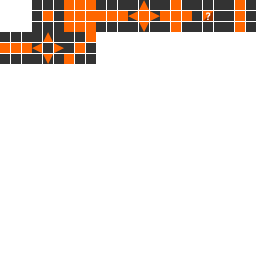
 The textures of Sheet Music: Piano Note